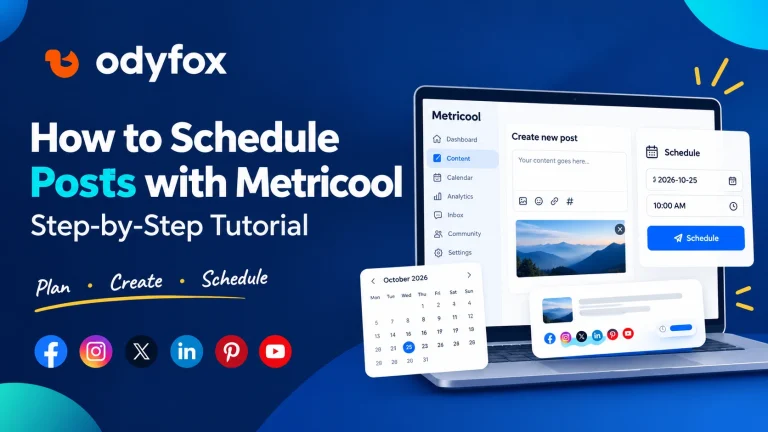
How to Schedule Posts with Metricool: Step-by-Step Tutorial
Scheduling social media content in advance can make your publishing routine easier to manage. Instead of creating every post at the last…
Read article
Managing multiple social media accounts can quickly become overwhelming. You open Facebook to publish a post, switch to Instagram to upload another, check Pinterest for your latest Pins, and then return to your calendar to remember what needs to go live next.
The problem is not always creating content. It is keeping everything organized while managing different platforms, publishing schedules, and performance data.
If you want to manage multiple social media accounts more efficiently, a centralized workflow can help you plan content, schedule posts, and review performance without constantly switching between apps.
In this guide, you will learn how to organize your accounts, build a practical publishing workflow, and use a social media management tool like Metricool to simplify the process.
Each social platform has its own audience, publishing options, content formats, and performance metrics. Managing them separately can create several challenges.
Too much time switching between platforms. Every time you move between apps, you have to find the right account, locate your content, and remember what you were doing.
Inconsistent publishing. Without a clear calendar, you might publish several times in one week and then forget to post for days.
Repetitive work. Preparing captions, uploading media, and checking publishing times individually can take longer than expected.
Scattered performance data. When your analytics are spread across different platforms, comparing results and identifying patterns takes extra effort.
Missed opportunities to improve. If you rarely review your results, you may continue creating content that does not serve your audience well.
A better workflow brings your planning, publishing, and performance review into one organized process.
Before choosing a tool, consider the tasks you perform most often.
A useful social media management platform should help you:
You should also check which platforms are supported, whether you can customize content for each network, and whether the features you need are available under your chosen plan.
You do not necessarily need a complicated marketing system. You need a workflow that makes your regular tasks easier to manage.
Metricool is a social media management platform with tools for content planning, publishing, analytics, reporting, and other marketing activities.
Instead of treating every platform as a completely separate workflow, you can connect supported accounts to a Metricool Brand and manage relevant activities from its dashboard.
For example, a small business might connect its Facebook Page, professional Instagram account, and Pinterest account, subject to the current platform requirements and plan limitations.
Metricool’s main sections include:
The exact features you can use depend on your connected networks, permissions, content type, and plan. You can review Metricool’s official Getting Started guide for an overview.
If this workflow fits your needs, explore Metricool here.
Start by listing the social accounts you manage and identifying which ones belong to the same business, brand, or project.
For example:
| Business activity | Social accounts |
| Brand awareness | Facebook and Instagram |
| Visual content | Instagram and Pinterest |
| Video marketing | Instagram, TikTok, and YouTube |
This simple exercise helps you understand which accounts need regular attention and which platforms are most important to your audience.
Next, connect your supported accounts to your chosen management tool. In Metricool, open the Connections section and follow the authorization process for each network.
Make sure you connect the correct account and approve the required permissions. Some networks require a professional account or specific account access.
Metricool organizes connected profiles under Brands. Each Brand supports one account per platform, so managing multiple accounts of the same type may require additional Brands.
You can check Metricool’s official account connection instructions before starting.
Once your accounts are connected, create a simple content plan.
Rather than deciding what to publish every day, identify your main content themes and assign them to specific days.
For example:
| Day | Content idea |
| Monday | Educational tips |
| Tuesday | A practical tutorial |
| Wednesday | A product or service insight |
| Thursday | A useful checklist |
| Friday | A case study or lessons learned |
This is only an example. Your actual schedule should reflect your audience, available resources, and the platforms you use.
Metricool’s Planning calendar lets you organize supported social media content and view scheduled posts in one place. This makes it easier to spot gaps in your calendar and avoid accidentally repeating the same content too frequently.
Before scheduling, confirm the Brand, publishing time zone, and destination accounts.
One of the biggest mistakes in multi-platform management is assuming the same post will work equally well everywhere.
You can begin with one central content idea, but adapt the execution for each audience and network.
For example, a blog tutorial could become:
This approach helps you reuse your ideas without making every post look identical.
When working in a social media management tool, review the caption, links, hashtags, and media requirements for each selected network. Use available per-network editing options wherever appropriate.
Also confirm whether the content can be published automatically. Certain formats or platform features may require manual publishing through the native app.
After preparing your content, choose a publishing date and time.
Batching your work can make this process more efficient. Instead of creating and publishing every post at the last minute, set aside a regular session to prepare several pieces of content.
With Metricool, you can use the Planning calendar and post composer to create supported posts, attach media, select social profiles, and schedule content.
Before saving a scheduled post, check:
Then return to the calendar to confirm that the post appears on the intended date.
Publishing consistently is important, but it is only one part of social media management.
You also need to understand what happens after a post goes live.
Review the performance data available for your connected accounts. Depending on the network and tool, useful metrics may include reach, impressions, engagement, clicks, and follower growth.
Publishing consistently is important, but it is only one part of social media management.
You also need to understand what happens after a post goes live.
Review the performance data available for your connected accounts. Depending on the network and tool, useful metrics may include reach, impressions, engagement, clicks, and follower growth.
Look for patterns rather than judging every post in isolation.
For example:
Metricool’s Analytics and Reporting sections can help you review available performance data. Use these insights to improve your next content calendar instead of relying entirely on guesswork.
Remember that different networks calculate and display metrics differently. A comparison should account for those differences.
You do not need to spend every day managing your social media dashboard. A repeatable weekly process can help you stay organized.
At the beginning of the week: Review your goals, choose content topics, and plan upcoming posts.
During your content session: Prepare captions and media, adapt posts for different networks, and schedule what is ready.
Throughout the week: Check important comments and messages, and complete any manual publishing steps.
At the end of the week: Review your results, identify what worked, and note what you want to test next.
The right schedule depends on how many accounts you manage. A freelancer handling two accounts will have different needs from a marketing team managing several brands.
The goal is not to automate every decision. It is to reduce repetitive work so you can focus more on the content and audience.
A centralized dashboard may be useful if you regularly manage multiple accounts, frequently switch between social apps, or struggle to maintain a consistent publishing calendar.
It may be less important if you manage only one account and publish occasionally.
Before choosing a tool, consider your main platforms, the number of accounts you manage, your reporting needs, and your budget. Also check the current plan limits and platform-specific publishing restrictions.
Metricool is one option worth evaluating if its connected networks and workflow match your needs.
Managing multiple social media accounts does not have to mean managing every task separately.
Start by organizing your accounts, building a realistic content calendar, adapting posts for each platform, and scheduling content in advance. Then review performance regularly so your strategy improves over time.
A centralized tool can support this workflow, but the real benefit comes from using it consistently and making decisions based on your goals.
If you are ready to organize your social media workflow, explore Metricool through Odyfox and see whether its features fit your needs.
Disclosure: Odyfox may earn a commission if you purchase an eligible paid subscription through links in this article, at no additional cost to you.
More useful reads selected by topic and subject.
Scheduling social media content in advance can make your publishing routine easier to manage. Instead of creating every post at the last…
Read article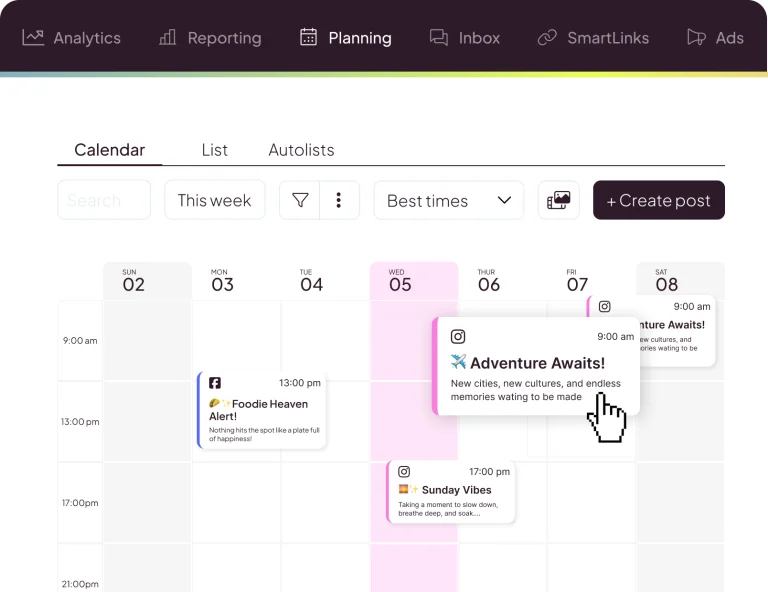
Looking for a simpler way to plan, publish, and analyze social media content? This complete guide explains how Metricool works, what it…
Read article
Are you tired of duct-taping five different software applications together just to run your online business? You pay for Mailchimp to send…
Read article